Workspace and secret keys
Sign up, create the workspace, and hold on to the one secret key it shows you.
Sign up
Create an account at the dashboard takes a name, an email and a password. Sign-up queues a verification mail, and the control plane's mail worker sends it within one tick. You can sign in before verifying. Verification is required for exactly one thing, accepting an invitation into somebody else's workspace, because the audit log prints the address of the person who acted and an unverified address could be a colleague's.
Create the workspace
The first sign-in lands on Choose a workspace or, with none yet, Create a workspace: a name and a URL slug. The signed-in person becomes its owner.
Creating a workspace also mints its first secret key, a krsk_live_… credential. Over the API the creation response carries it once, as below. The dashboard does not display it: after Create a workspace you land on the overview, and the secret key your server will use as KEYRING_SECRET_KEY, and any script as Authorization: Bearer, is minted from Settings → Secret keys → New secret key, where it is shown once. Copy it into a secret store then.
{
  "workspace": { "id": "01a0...", "name": "Acme", "slug": "acme" },
  "secret_key": {
    "env": "live",
    "key": "krsk_live_...",
    "key_shown_once": true
  },
  "membership": { "role": "owner" }
}
Fetching the key afterwards returns no key field at all.
More secret keys, and test-mode secret keys
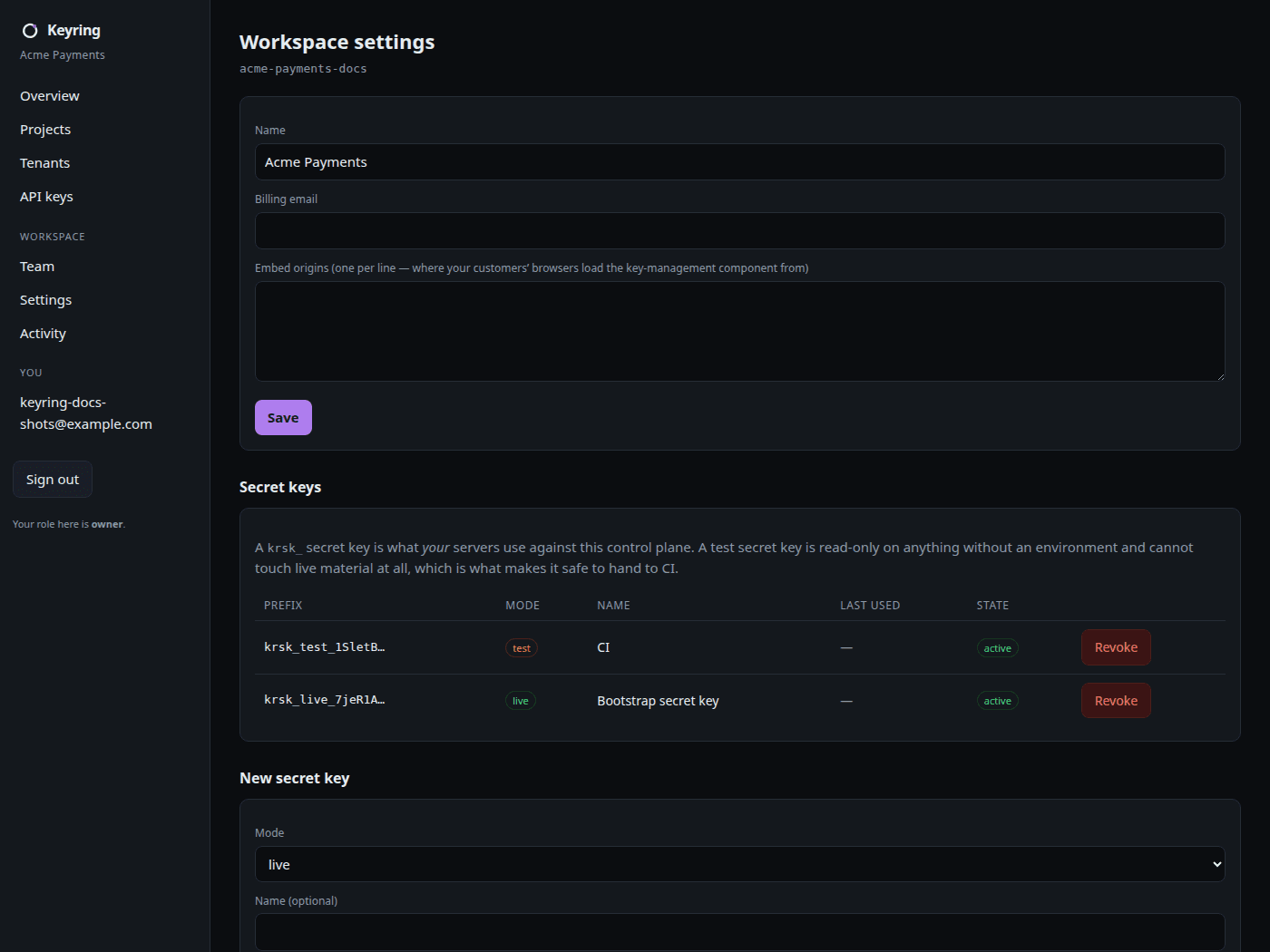
Settings → Secret keys → New secret key mints another, with a Mode of live or test and an optional name. A krsk_test_ secret key is the credential you give CI: it can read and manage test keys, is read-only on projects, tenants and the workspace, sees no live row in any listing, and gets 403 forbidden on any attempt to name live. Test mode has the whole boundary.
Rotate a secret key on the same page takes an overlap in hours, at most 168. The old key keeps working until the overlap ends so a fleet can pick the new one up without a synchronised restart.
Settings
Workspace settings holds the name, a billing email, and embed origins, the list of origins your own web app runs on, which the embeddable component needs.
Team
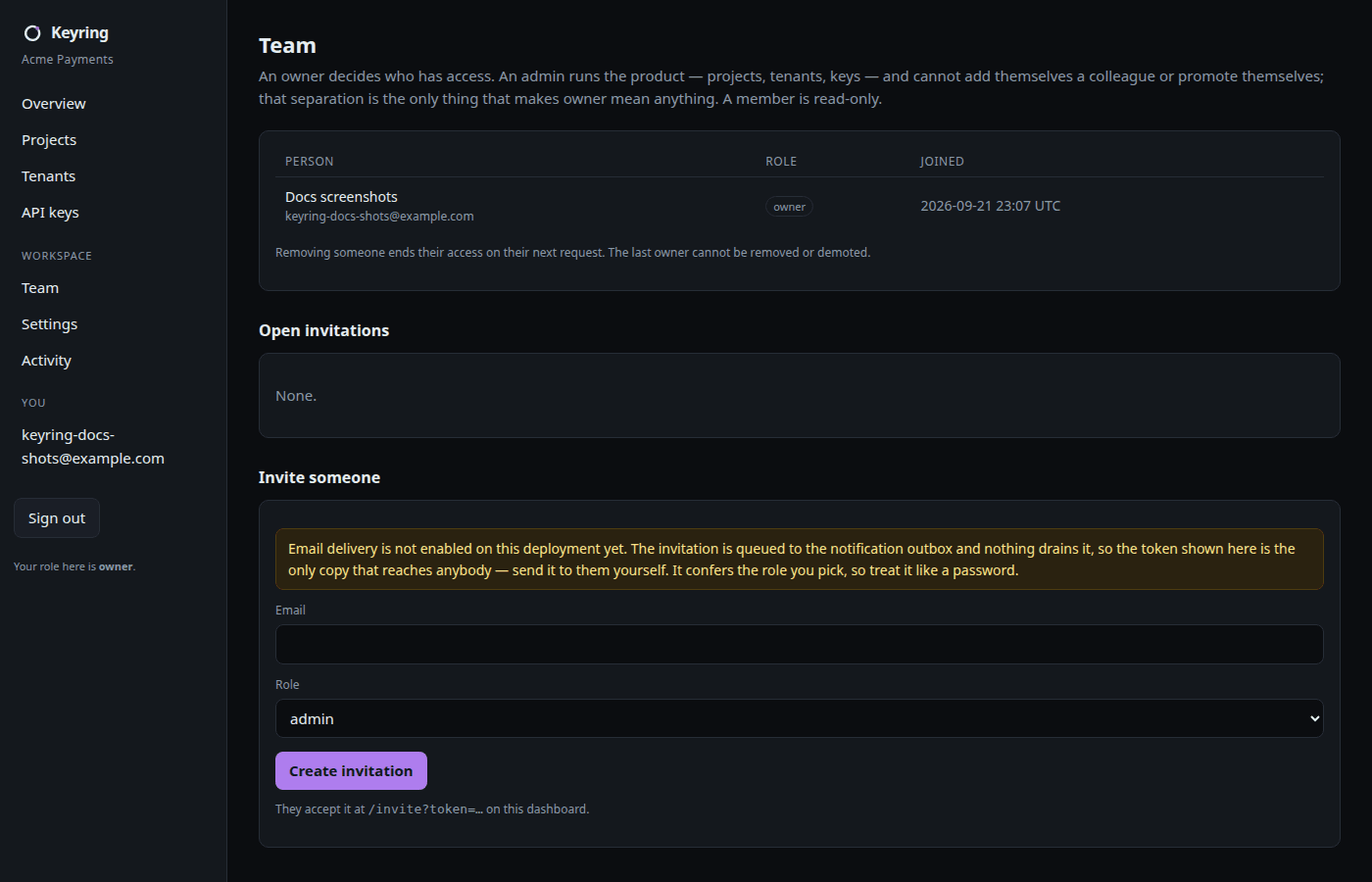
Team → Invite someone takes an email and a role. The invitation link is mailed to the invitee; a copy of the token is shown to you once, for pasting somewhere out of band. A workspace can never lose its last owner: the control plane refuses the removal or demotion that would do it, and it takes a per-workspace lock first so two concurrent removals cannot race past the count.
Activity
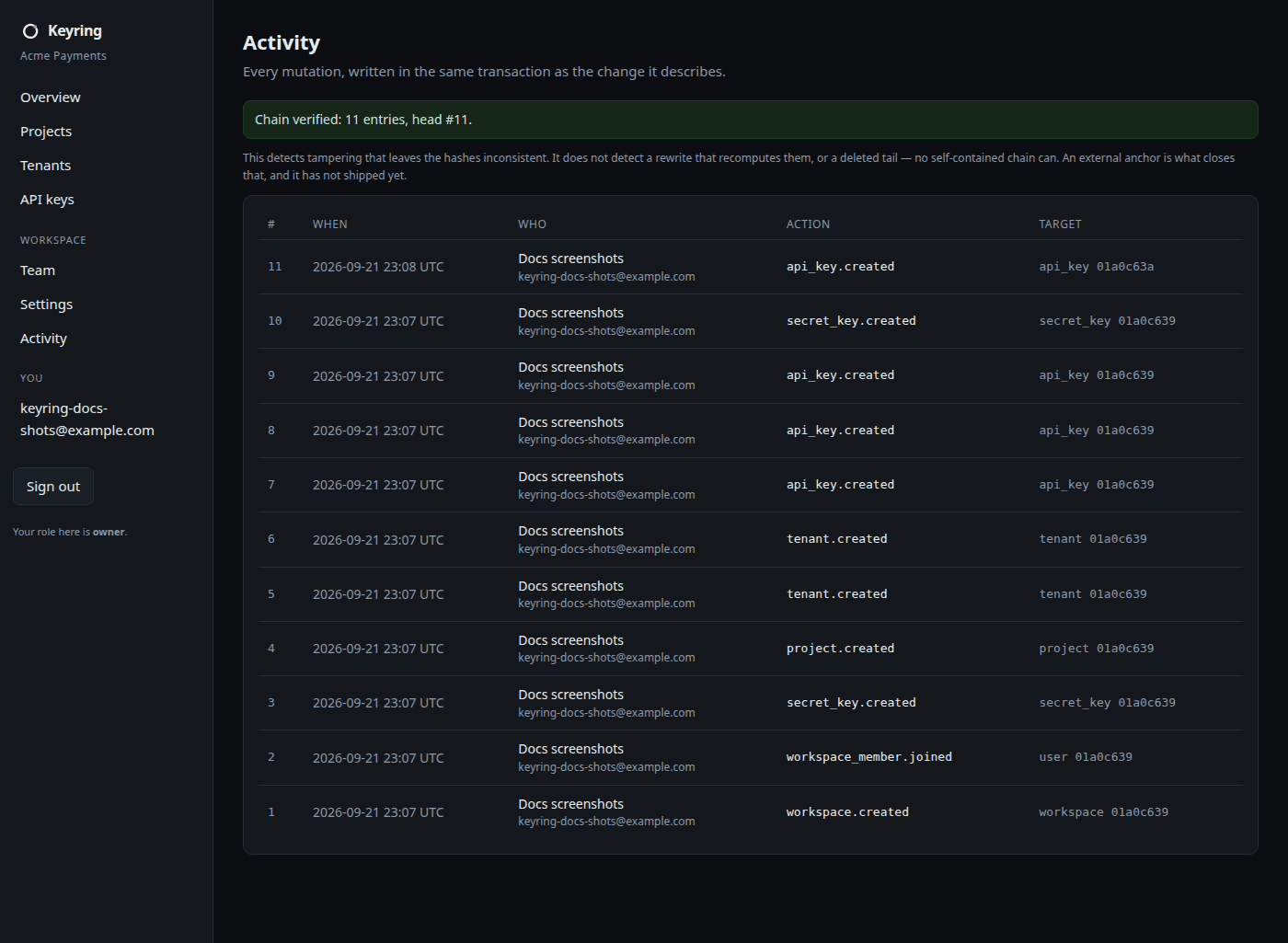
Activity is the audit log, read-only. Every mutation on the workspace is written in the same database transaction as the change it describes, and every row carries a hash chained to the previous one. The page leads with the chain verification and says what it does and does not catch: tampering that leaves the hashes inconsistent is detected, a rewrite that recomputes them or a deleted tail is not. An external anchor for that second case is not yet shipped.
The same over curl
curl -X POST https://api.keyringdev.com/v1/auth/sessions \
  -H 'Content-Type: application/json' \
  -d '{"email":"you@example.com","password":"..."}'
The krses_ session token that comes back is what the dashboard holds server-side, sealed inside an HttpOnly cookie; it never reaches a browser. With it, POST /v1/workspaces is the sign-up flow's own call, and the auth reference lists the rest.